

Product England
Preparing a pharmacy consultation room for reliable video consultations
The useful question is whether the whole consultation works in your room on a normal working day. A broadband speed figure or an equipment delivery does not answer that on its own.
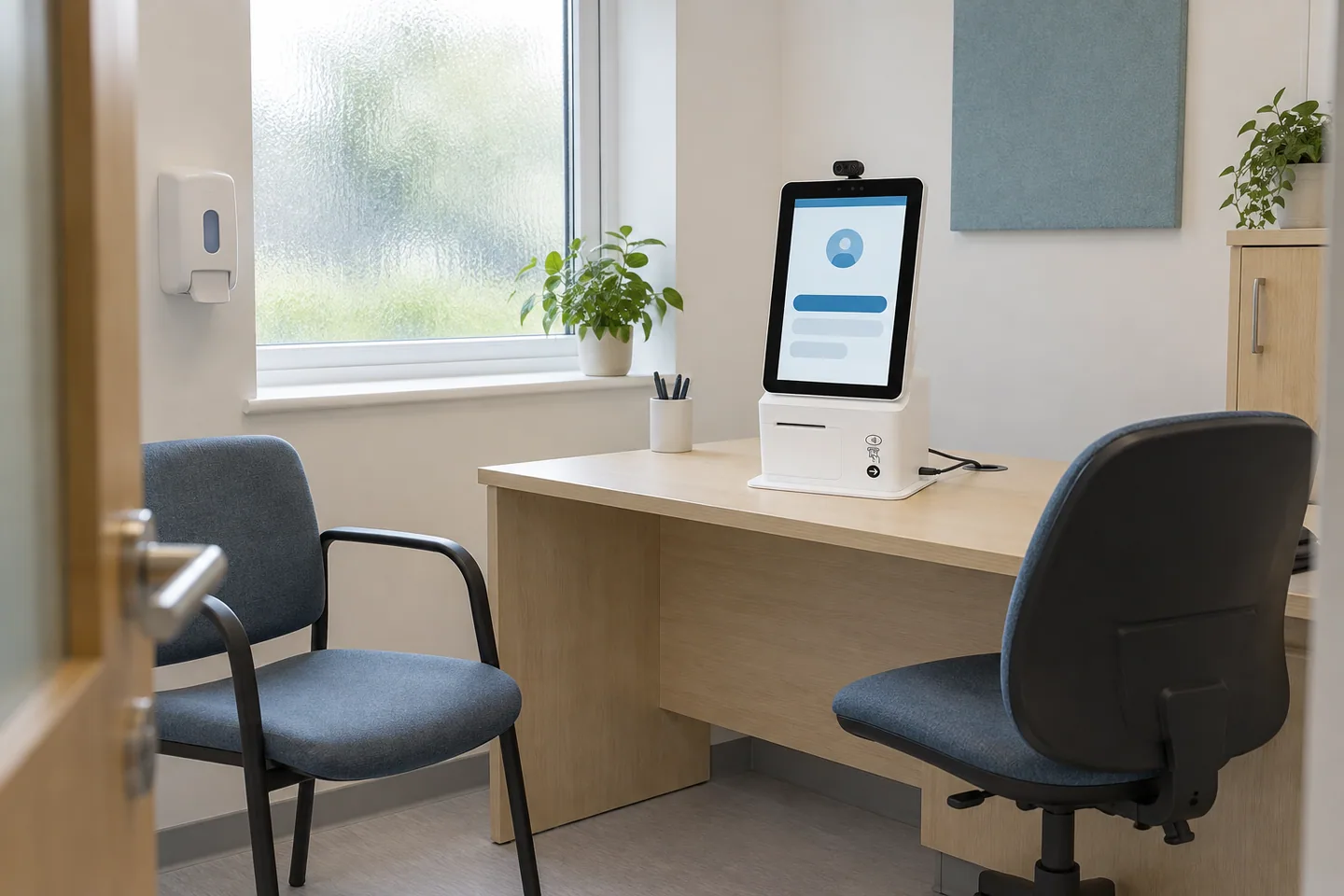
Check the room as a patient would use it
Start with privacy, seating, lighting and the space around the device. Can the patient and any agreed supporter sit comfortably? Can the camera capture what the clinician needs without showing unrelated records? Can conversations be heard outside the room? Is help available without obliging a staff member to hear the entire consultation?
An existing room may work with small adjustments, but that needs checking rather than a promise that no changes are required. The GPhC's standards for registered pharmacies address safe premises, equipment and privacy. Check the current requirements for the particular service alongside the practical layout.
Test the actual device and peripherals
Use the terminal, browser or application version that staff will use in practice. Confirm the camera, microphone and speaker selected after a restart and after connecting any peripheral. Test volume and clarity with the door closed and ordinary pharmacy noise outside. Check that the device can be cleaned and positioned safely.
Record the supported configuration and who maintains it. Include updates, replacement equipment, account access and a way to obtain assistance. The on-site team should have a short start-of-session check, not a technical troubleshooting manual. Keep a more detailed record for the person responsible for devices and support.
Measure behaviour under normal network load
Ask the supplier for its network requirements and have your IT provider check the actual setup. Test both directions of audio and video during normal activity, including competing use of the connection. An advertised download speed does not demonstrate stable upload, low delay or reliable Wi-Fi in the consultation room.
Compare a suitable wired connection with the available wireless setup where practical. If a backup connection is proposed, test it rather than assuming it will take over without interruption. Record what happens when the network changes during a call. Do not weaken firewall or access controls simply to make a test pass; involve the responsible IT provider in resolving problems.
Include the record system in the rehearsal
A clear picture is not sufficient if the pharmacist cannot obtain the necessary information or complete the record. For Pharmacy First in England, the service specification requires consultation-room IT supporting contemporaneous records in the NHS-assured system.
Use a synthetic encounter to test the intended record workflow alongside the call. Check permissions, timeouts, patient selection and any handover between systems. If entering information interrupts the conversation, identify a safe practical adjustment. Avoid collecting real patient information in a demonstration or leaving test notes in a live clinical record.
Plan recovery without improvising the clinical method
Write down what the on-site team and remote pharmacist do if audio, video or the record system becomes unavailable. Include reconnecting, contacting the clinician, escalating an urgent concern and finding unfinished work. Decide who explains the delay to the patient and who checks that the eventual next step is completed.
The permitted alternative depends on the service. Pharmacy First clinical pathways require an appropriate in-person or good-quality video assessment; audio-only is not a general fallback. Acute otitis media needs otoscopic examination and is not a remote pathway. Keep these service boundaries in the procedure rather than letting a software reconnect button determine the clinical decision.
Sign off a usable setup, then maintain it
Record the date, device configuration, rooms tested, participants and outcomes of the rehearsal. Include a normal consultation, a patient needing communication support and an interrupted call. Note outstanding issues and their owners, and agree what prevents the service starting. Test the remote clinician's end as well as the patient room.
Repeat relevant checks after equipment, network or software changes and when failures recur. Remote Pharmacist's model retains the on-site Responsible Pharmacist and adds suitable consultation capacity. The technology assessment should demonstrate that this particular service can work locally, not imply approval for any off-site or cross-contractor arrangement. See the superintendent checklist for the wider readiness decision.
Frequently asked questions
Is there a universal minimum broadband speed?
Use the supplier's requirements and test the actual end-to-end setup under normal load. Speed alone does not establish picture quality, sound, stability or a safe clinical workflow.
Do we need a new consultation room?
Possibly not, but inspect the existing room against privacy, accessibility, equipment and service requirements before deciding what needs to change.
Sources & further reading
Checked against the following sources on 1 October 2026. Service rules and payments can change; use the current specification and Drug Tariff when making decisions.
- GPhC: standards for registered pharmacies in Great Britain
- NHS England: Pharmacy First service specification (PDF)
- Community Pharmacy England: Pharmacy First delivery, IT and claims
- NCSC: how to secure online meetings
This is business and service-planning information. It does not assess an individual patient, authorise a delivery model or replace local clinical and contractual decisions. Source checking is not a claim of independent clinical review.
Our editorial policy and corrections processSee it in your consultation room
A practical walkthrough, shaped around your team and the services you want to deliver.